Last updated: June 11, 2026
Metrics
Track the numbers that matter to your business. Define KPIs, set targets, assign owners, and monitor progress over time.
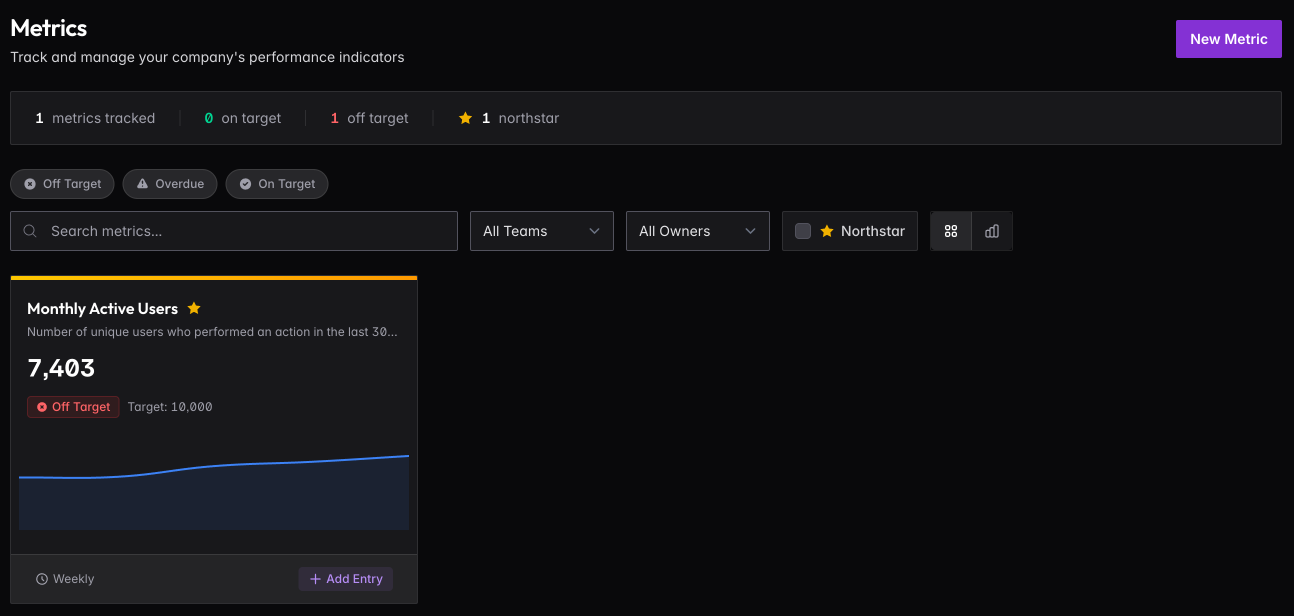
Creating a Metric
Click New Metric to define a KPI you want to track.
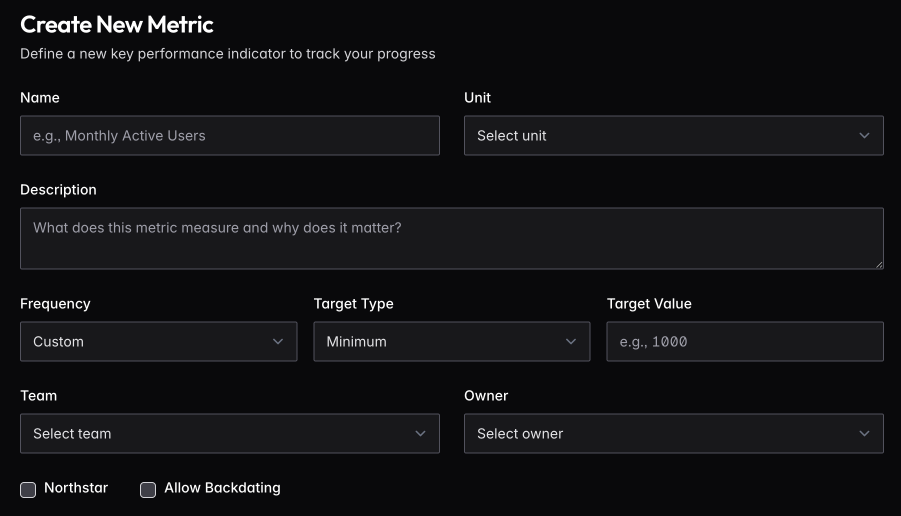
Give your metric a clear name and description so your team understands what it measures and why it matters. Choose the appropriate unit (Count, Percentage, Currency, or Duration) and set how often it should be updated.
Set a target to track progress. Choose Minimum if higher is better (like revenue or users), Maximum if lower is better (like churn or support tickets), or Range if you’re targeting a specific band.
Assign a Team and Owner — the owner receives reminder emails when it’s time to update the metric. Check Northstar if this is one of your critical company-wide indicators. Enable Allow Backdating if you need to record historical values.
Recording Values
When it’s time to update a metric, click + Add Entry on the metric card or from the detail page.
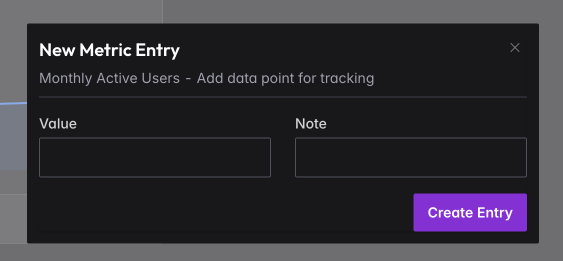
Enter the current value and optionally add a note for context (e.g., “Reached 7000+ milestone” or “Spike due to product launch”). The entry is timestamped automatically. If backdating is enabled, you can record values for past dates.
Tracking Progress
Click any metric card to see the full picture.
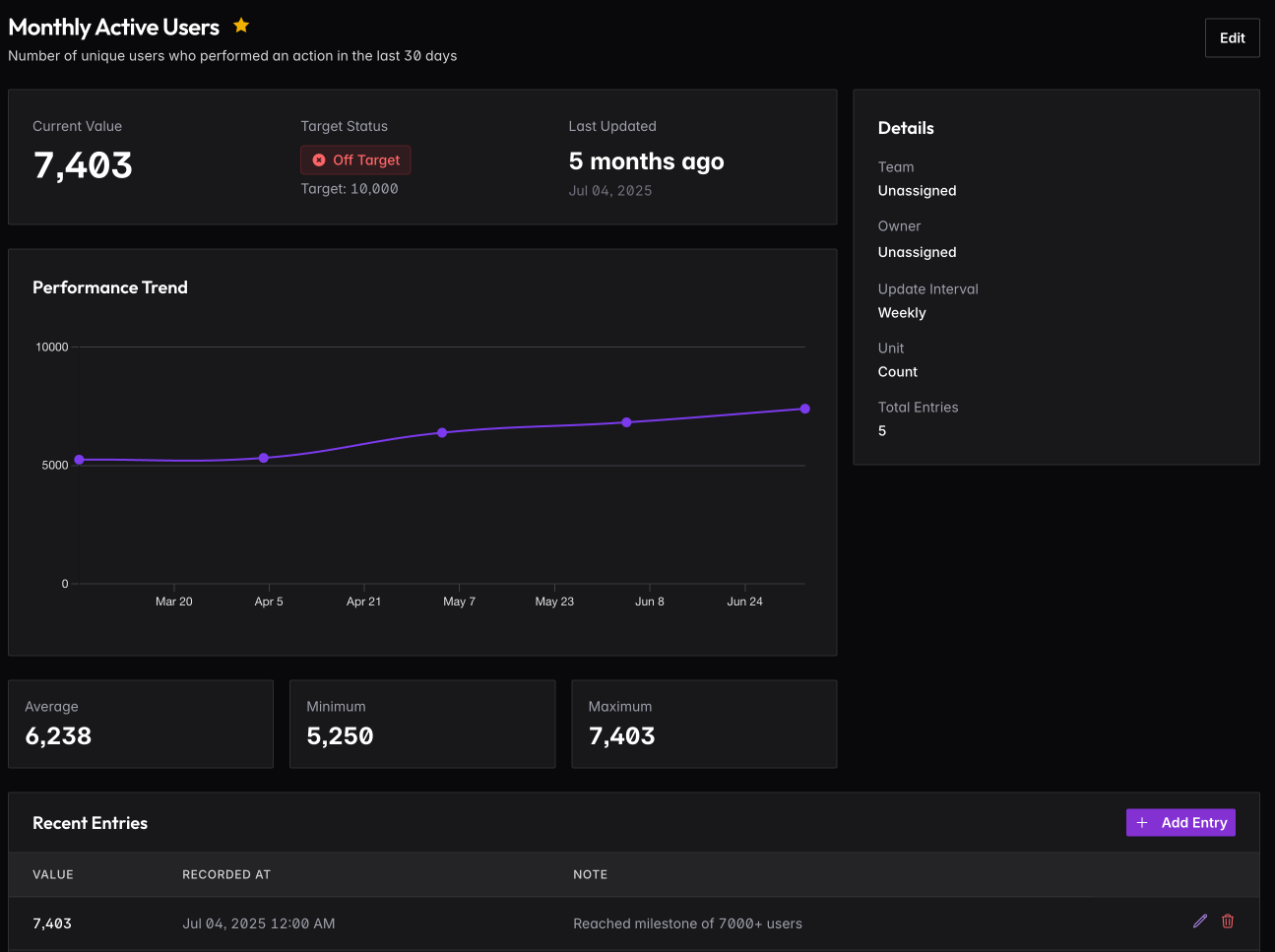
The detail view shows your current value against the target, a performance trend chart over time, and summary stats (average, minimum, maximum). The Recent Entries table shows your complete history — you can edit or delete individual entries if needed.
Use this view to spot trends, identify when you went off track, and understand what’s working.
Northstar Metrics
Mark your most important metrics as Northstar. These are the 1-3 numbers that best indicate whether your business is healthy. Northstar metrics display with a star and can be filtered separately on the main page.
Don’t mark everything as Northstar — if everything is critical, nothing is.
Metric Types
Different metrics require different units.
Count metrics are raw numbers — users, transactions, units sold, support tickets closed.
Percentage metrics are rates — conversion rate, churn rate, retention, close rate.
Currency metrics are financial values — CAC, LTV, costs, margins, average deal size.
Duration metrics are time-based — response time, time to close, average session length.